
Know who can do what in Jira, and what changed.
Snapshots of every permission scheme, role, group and user. Drift findings, access reviews and hash-verified evidence packs for auditors.
Snapshots of every permission scheme, role, group and user. Drift findings, access reviews and hash-verified evidence packs for auditors.
Every snapshot is compared with the one before. Added and removed grants show up per project, naming the account, group and permission.


A review freezes who has access and records a decision per row. The CSV's SHA-256 is stored at close, so any copy can be checked.
A deactivated account that still leads a project or holds a role is a finding. Its page lists every project, role and group it reaches.

Once a day Roleprint reads every permission scheme, project role, group and user, and again whenever you press Re-scan. On a large site the first full read can take a while; it runs in the background.
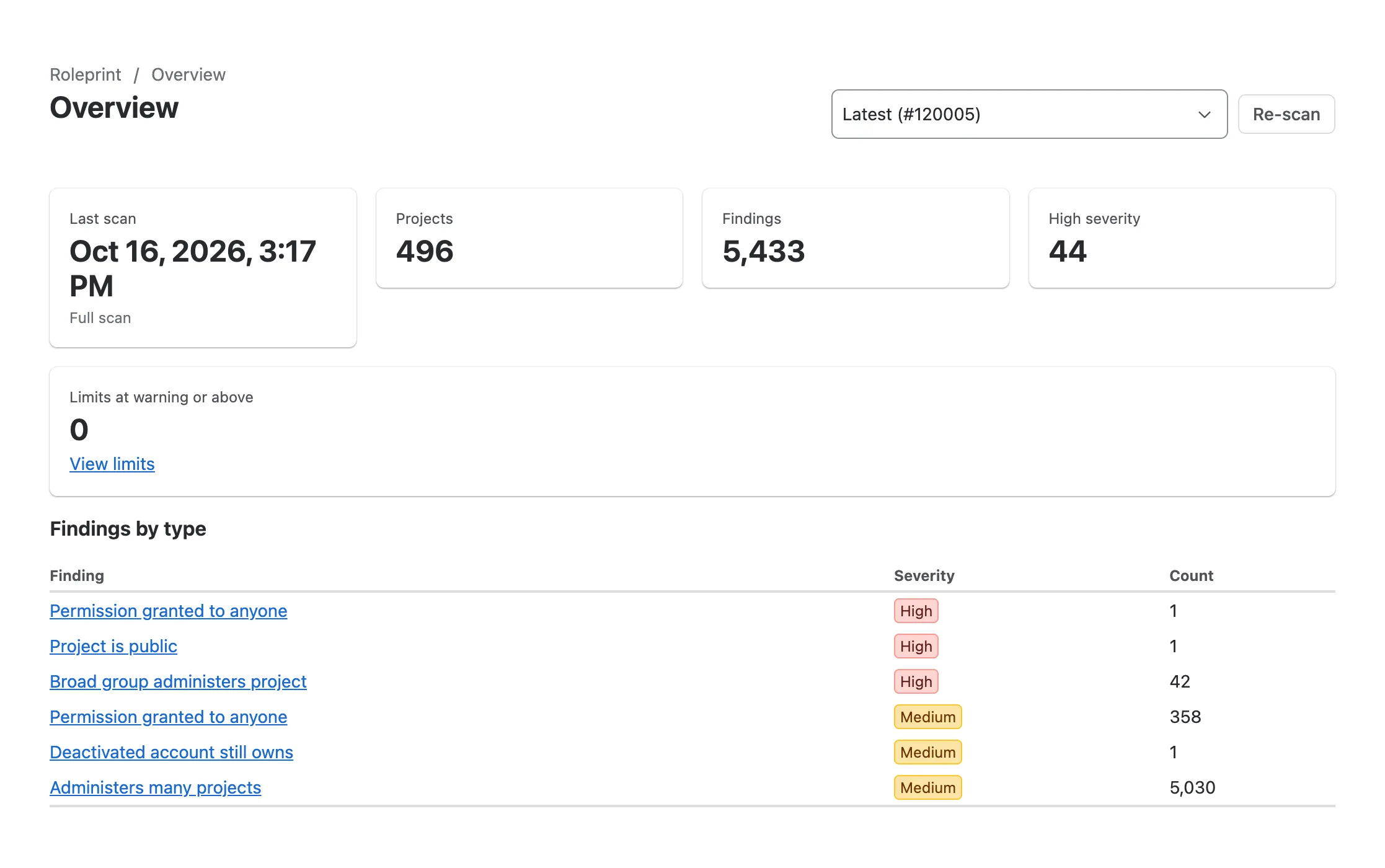
Each snapshot is compared with the one before it. Risky grants, such as a permission open to anyone, are raised as findings with a severity.
An access review freezes a set of accounts and projects. You decide Keep, Remove or Exception for every row, then close the review and sign it off.
A closed review exports as CSV, JSON and PDF. The CSV's SHA-256 is stored at close and printed on its last line.
Roleprint produces evidence that supports SOX/ITGC, ISO 27001 and SOC 2 audits. It does not certify compliance; your auditor does.
Short answers. The Security page has the long ones.
No. Roleprint only reads, and it never changes a permission, role, scheme or group. A review records each decision in the app's own storage. You make a removal in Jira yourself, and the next snapshot confirms it.
Jira Cloud. It covers Jira Software, Jira Work Management and Jira Service Management projects on the same site. Jira Data Center is not supported.
In Atlassian-hosted Forge storage for your site; nothing is sent outside Atlassian. Every snapshot is kept for 35 days, then one per week up to 395 days. When you uninstall the app, Atlassian deletes its storage after 28 days.
Minutes on a small site. On a very large site it can take a long time, because Roleprint stays within Jira's API quota. It runs in the background, and the app tells you so when you first open it.
Pricing is set on the Atlassian Marketplace listing and billed by Atlassian. The listing is not public yet.
Install Roleprint from the Atlassian Marketplace and take the first snapshot today.
Install from Marketplace